
Stacks
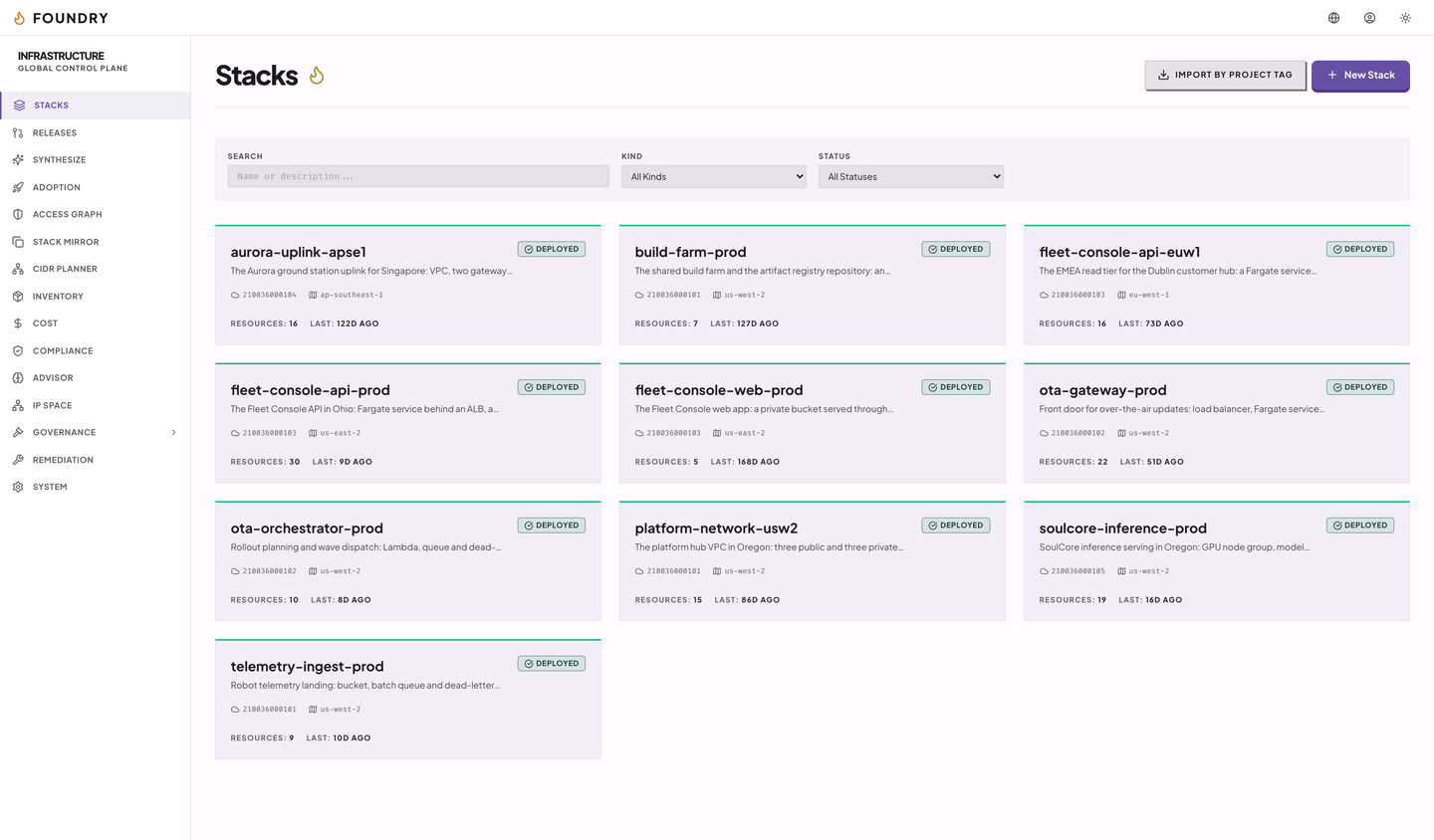
The stack list, a stack's resources, a plan diff, and its deployment history.
The same operations the agents use, laid out for a person. The console is a React app on the Renkara design system, with a top bar, a side navigation, and a screen for each area.

The stack list, a stack's resources, a plan diff, and its deployment history.
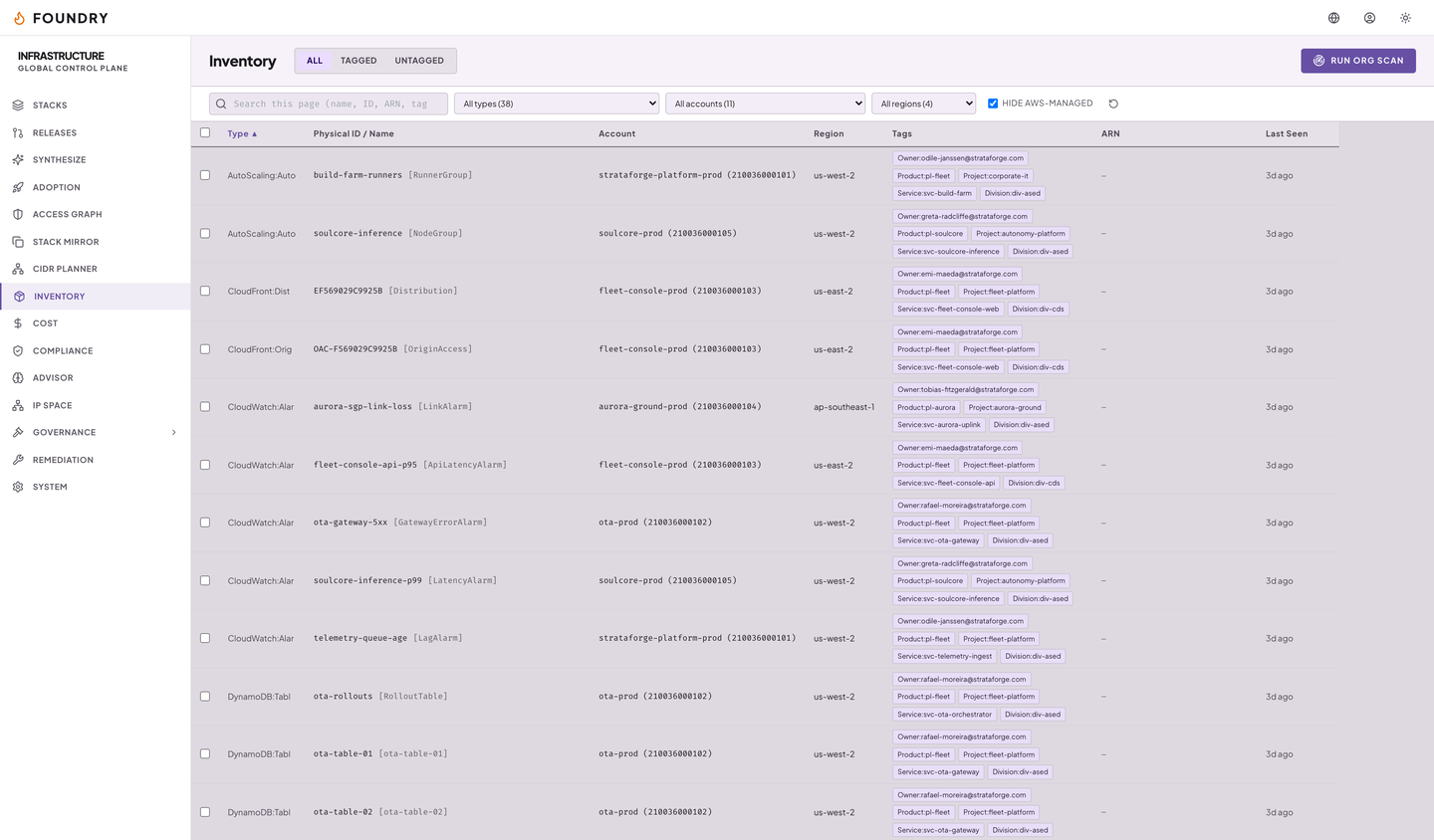
The organization's resources, with a detail screen and a timeline per resource.
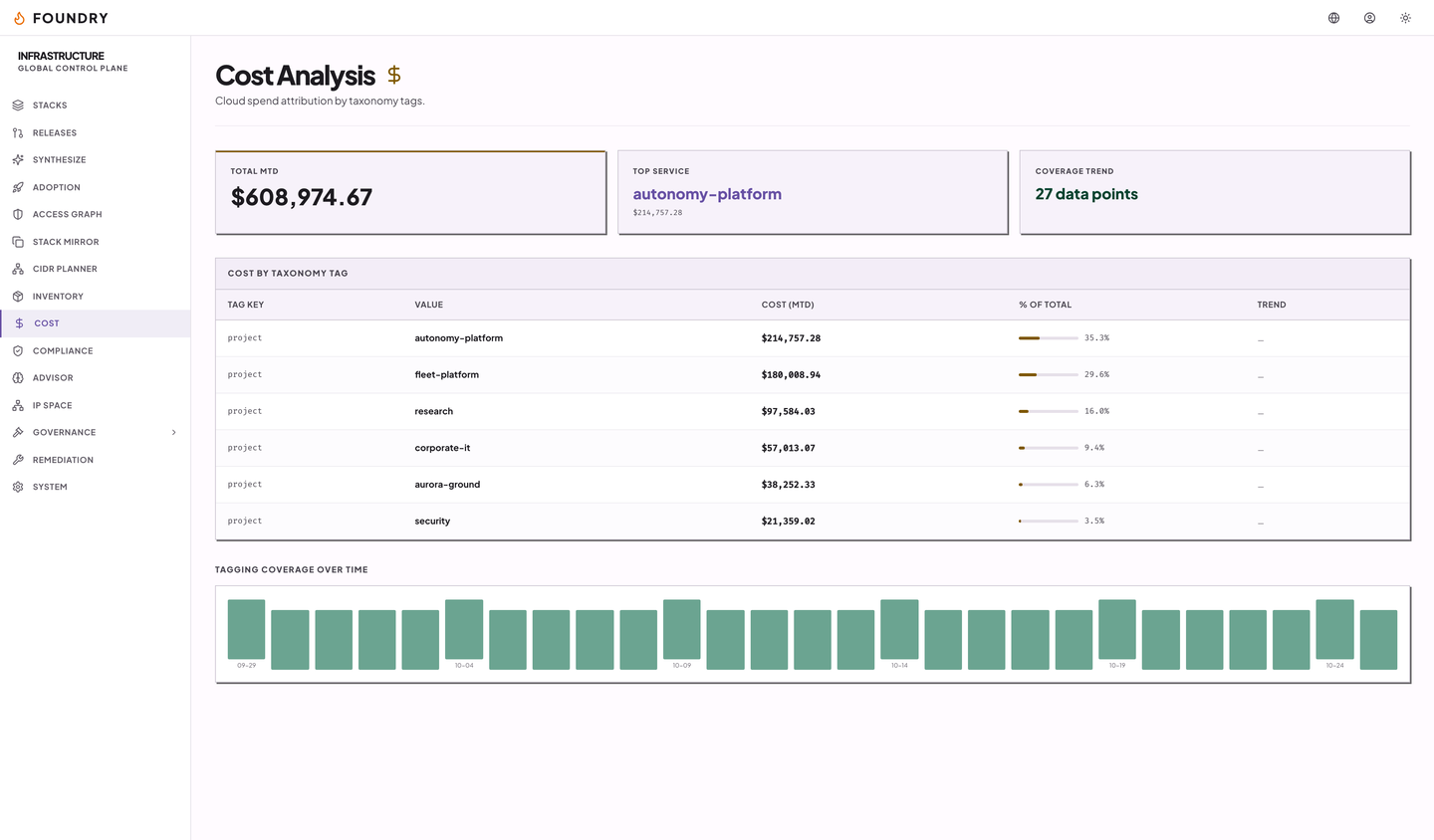
Spend, the compliance packs and their findings, and the advisor checks with estimated savings.
Subnet capacity and the CIDR ledger.
Taxonomy, tag compliance, chargeback, enforcement, and forecast.
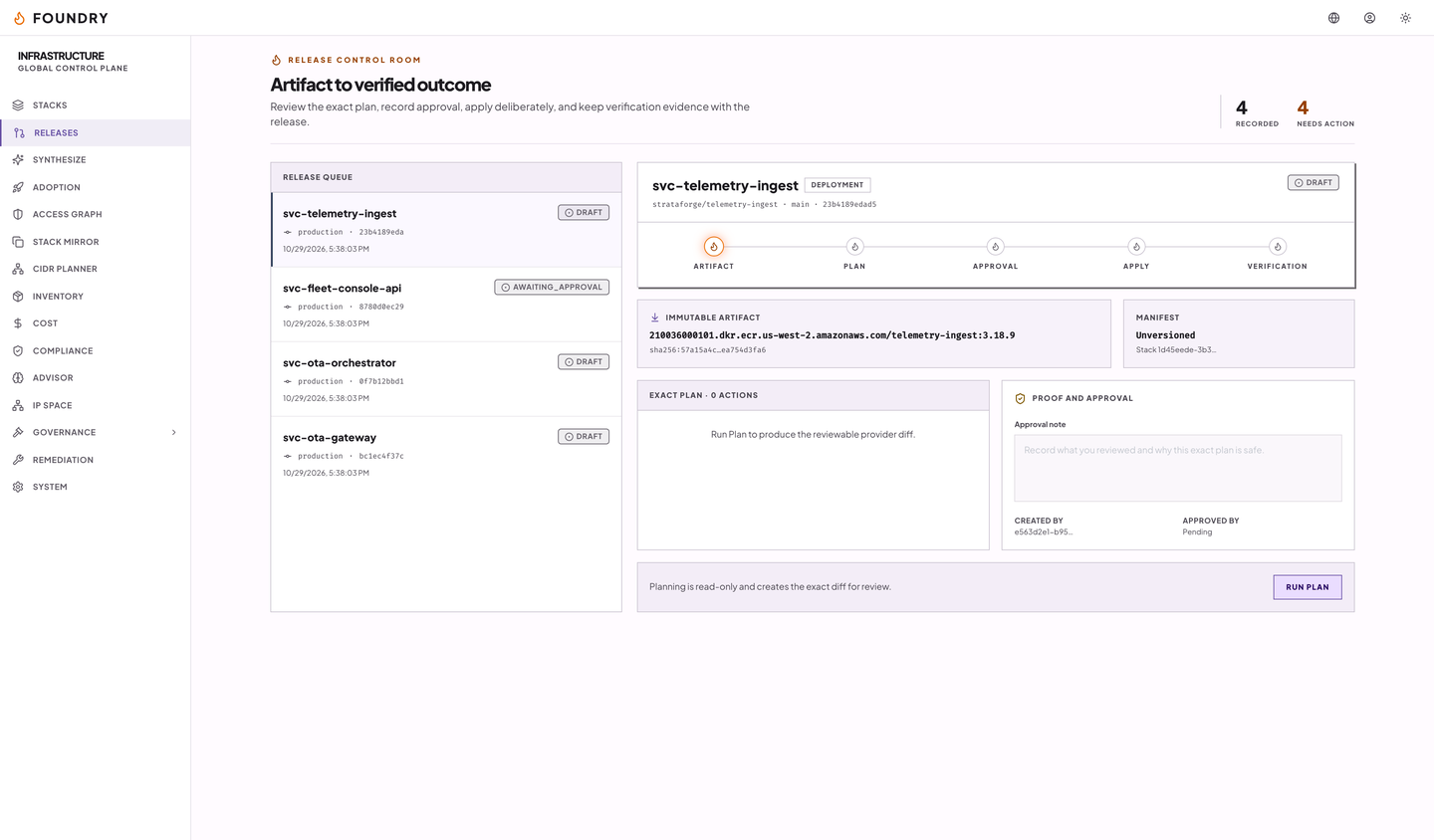
Policies, adoption runs, stack mirrors, the access graph, releases, synthesis, and the system stack.
The console sends each command as a POST to /api/v1/ops/{op} and receives live refresh signals over a server-sent events stream. Each command goes through the role check the agent tools use. Earlier versions used a WebSocket; it was retired.
The console has light, dark, and system themes. It has a skip link, a main landmark, and labeled navigation regions. The accessibility page records what has and has not been checked.
This page says console, not editor: stacks are edited as resource tables and plan diffs, not on a drag-and-drop canvas.
Captures of the running console with fictional StrataForge Robotics data. No real AWS account or cost appears.
Write to Renkara Media Group and a person will answer.